Scan
Understand what is actually inside your library.
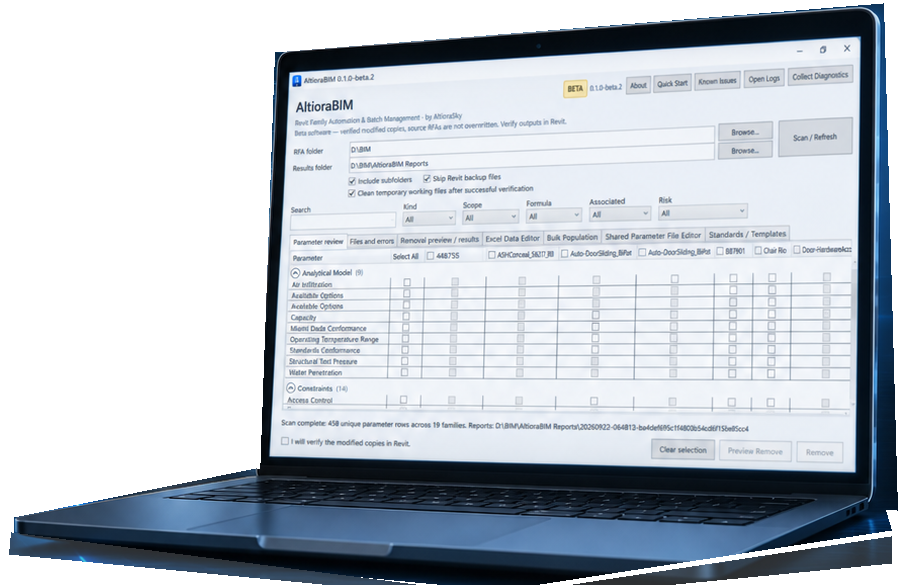
Scan folders and subfolders, inventory family parameters and review data across multiple Revit families from one workspace.
WORK SMARTER. HIGHER STANDARDS.
Revit Family Automation & Batch Management
Check. Standardize. Fix. Verify.
Batch-manage Revit families, parameters and standards through preview-first workflows — while preserving your source files.
Free 30-day evaluation · Revit 2026 and 2027 · No credit card
BETTER BIM. A MORE EFFICIENT TOMORROW.
01 / WORKFLOW
AltioraBIM brings repetitive family management tasks into structured, reviewable workflows.
Understand what is actually inside your library.
Scan folders and subfolders, inventory family parameters and review data across multiple Revit families from one workspace.
See the proposed changes before anything is written.
Review Ready, Blocked and unsupported operations before applying modifications.
Create modified copies. Keep the originals intact.
AltioraBIM writes changes to separate output files and verifies processed families before reporting successful results.
02 / CAPABILITIES
Practical tools for inspecting, editing and standardizing BIM content libraries.
01 / PARAMETER REVIEW
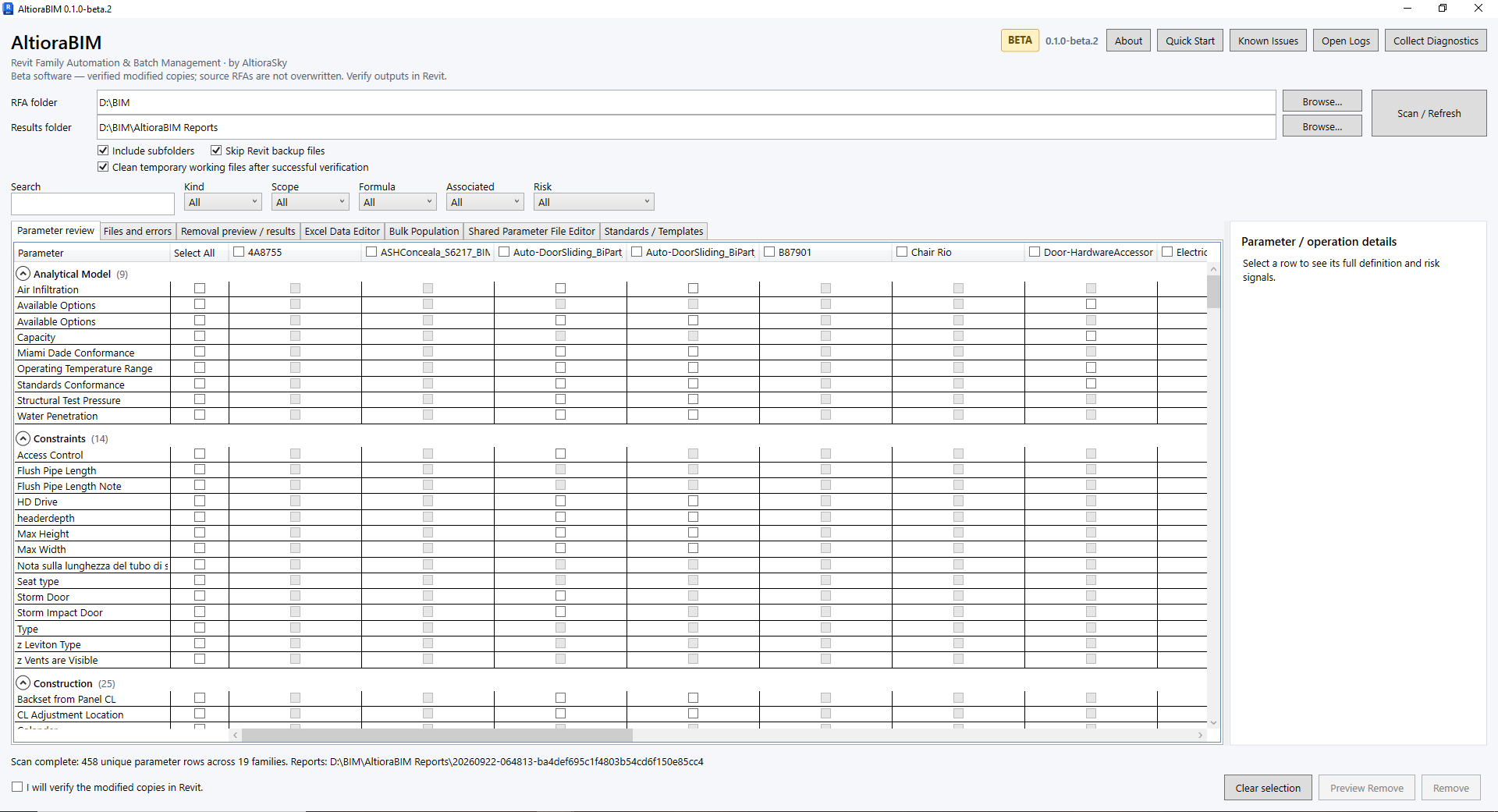
Review parameters across multiple families in a single matrix. Search, filter and compare parameter presence, scope and properties without opening families one by one.
Explore your library before changing it.
02 / EXCEL DATA EDITOR
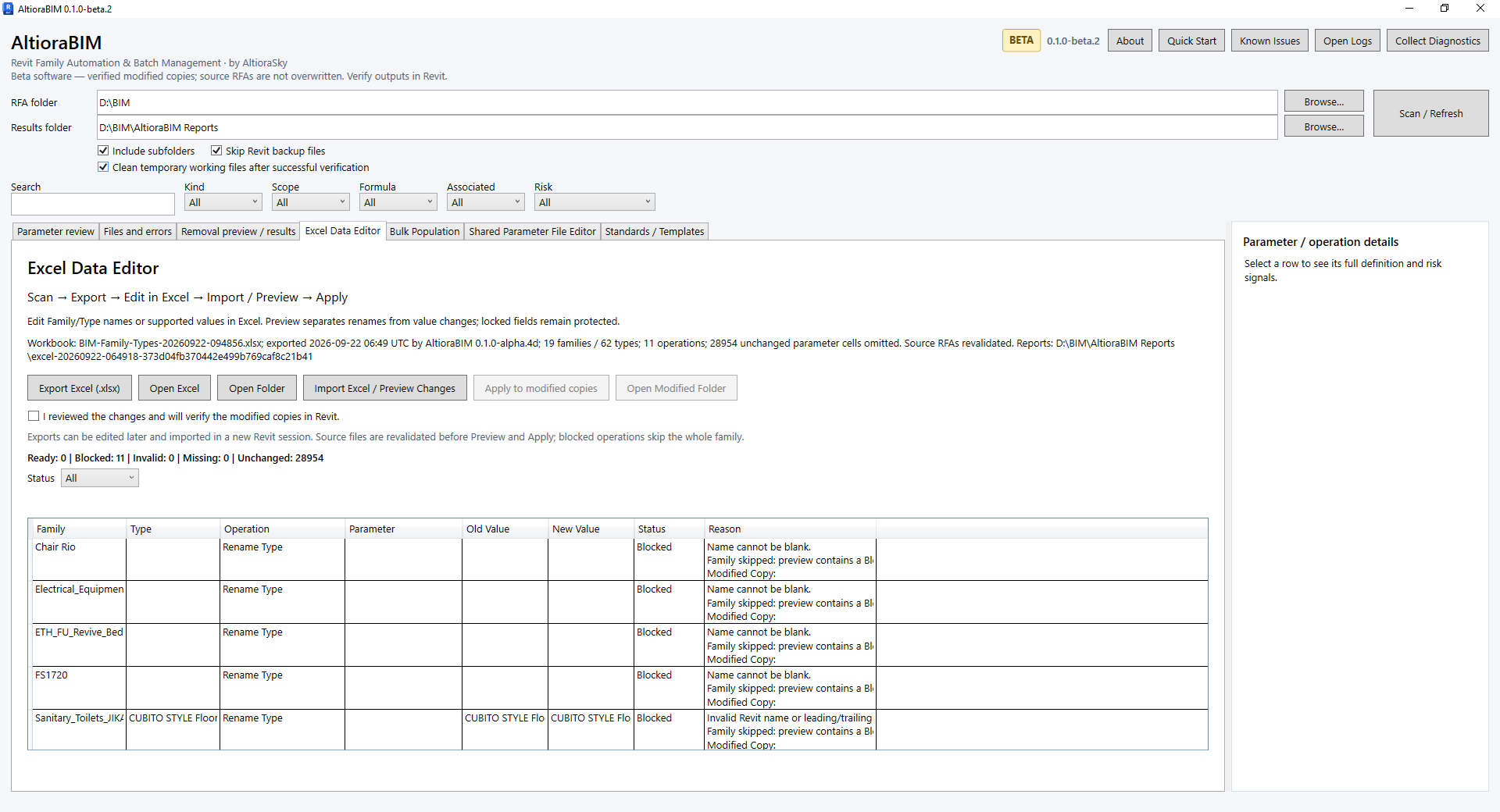
Export supported family and type data to a familiar spreadsheet workflow. Edit values, preview imported changes and apply them to verified modified copies.
Structured editing without manual family by family updates.
03 / SHARED PARAMETERS
Open, create and inspect Shared Parameter Files. Select definitions individually or by group, control Type or Instance scope and assign target Revit parameter groups before Preview.
Conflicts are isolated rather than silently overwritten.
One blocked operation does not have to stop the rest.
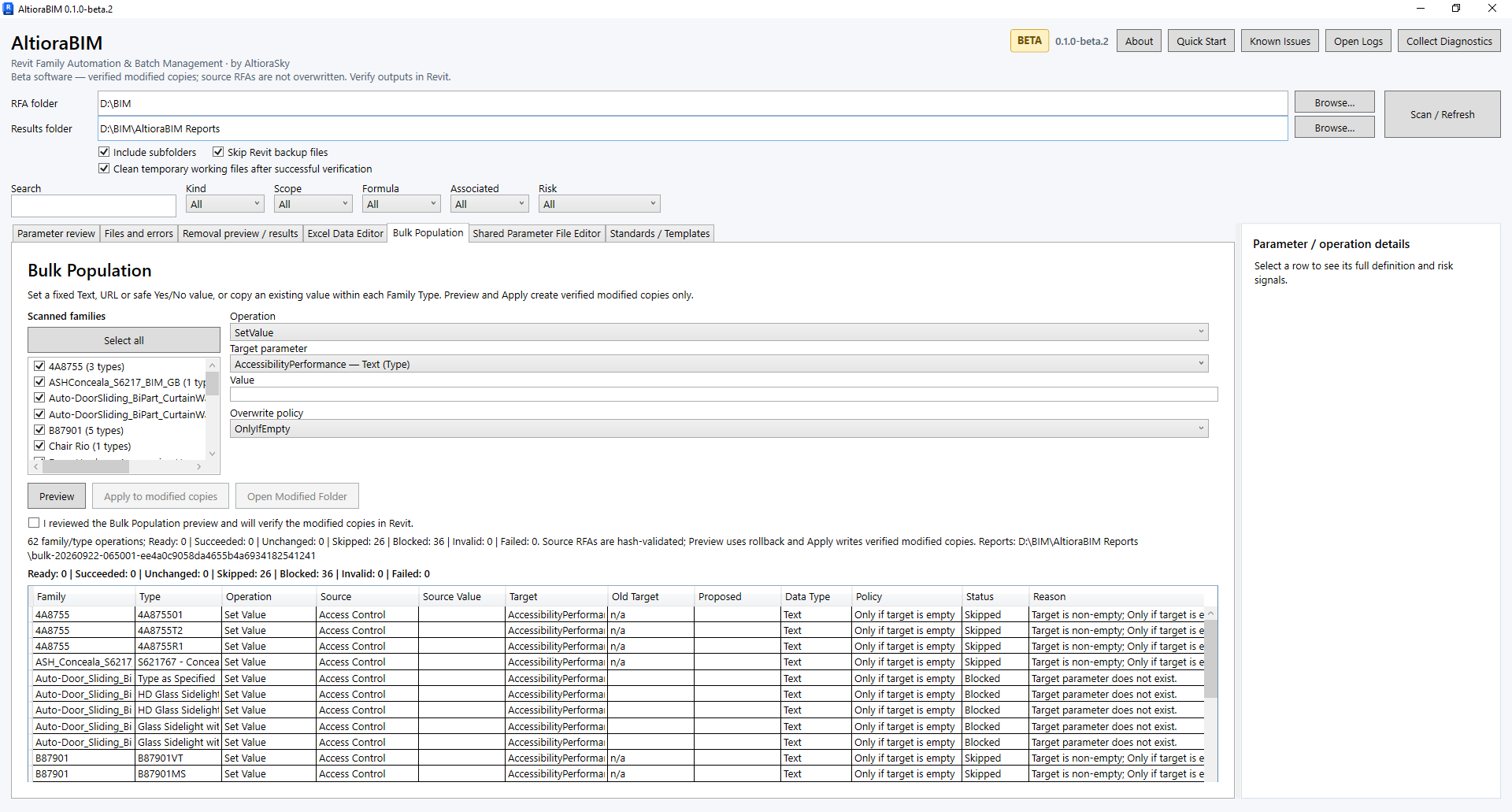
04 / BULK POPULATION
Set values or copy values between supported parameters across selected families and types. Choose whether to fill only empty values or overwrite existing data, then review the operation before Apply.
Turn repetitive parameter editing into a controlled batch workflow.
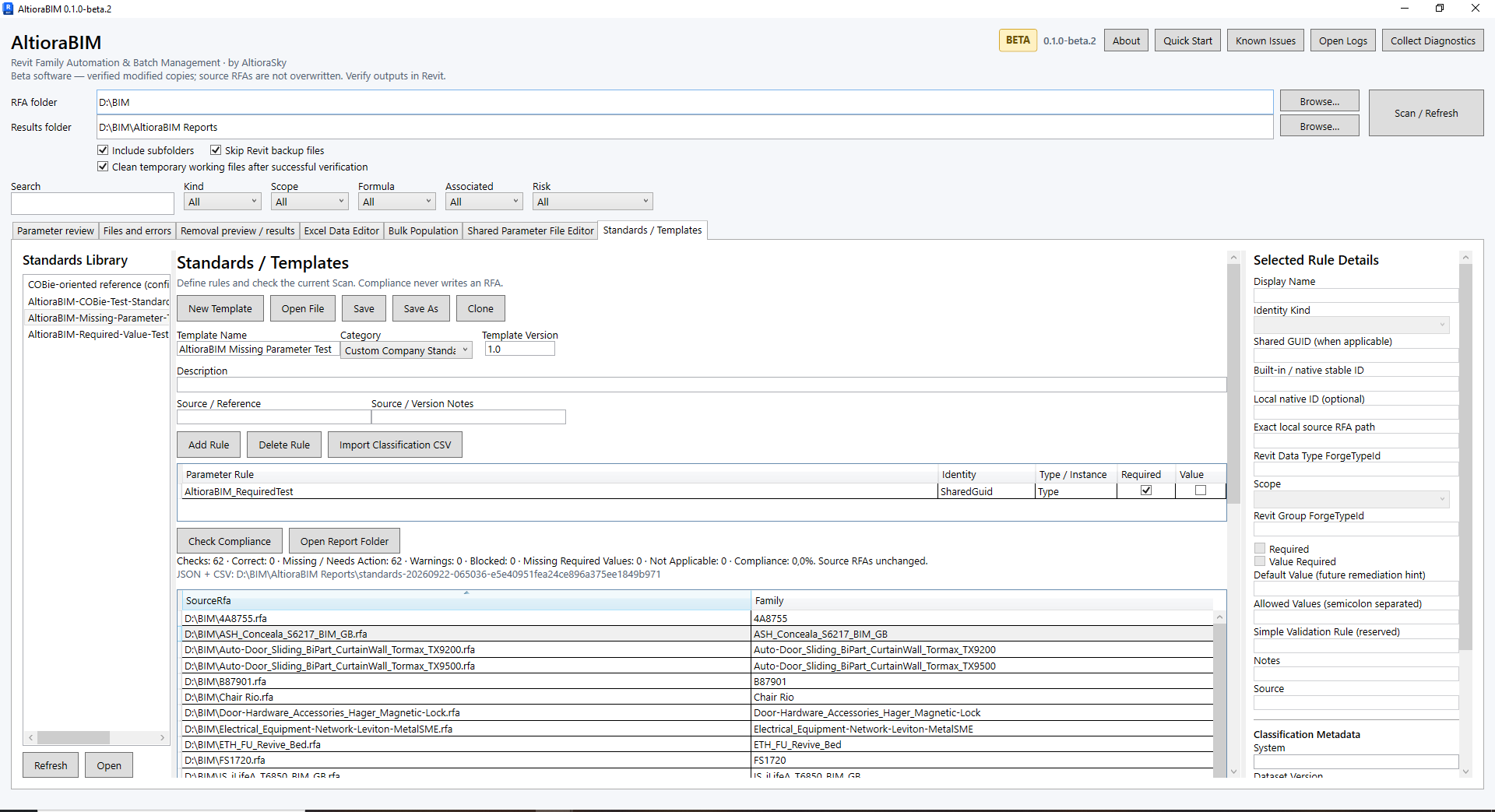
05 / STANDARDS & COMPLIANCE
Define expected parameters and values, scan families for compliance and identify missing, incorrect or blocked cases. Eligible issues can be remediated through controlled workflows, while cases requiring manual review stay visible.
From inconsistent libraries to measurable standards.
06 / REMOVE PARAMETERS
Review removable parameters across selected families, preview the impact and create verified modified copies while leaving the source library unchanged.
Controlled cleanup at library scale.
03 / BUILT FOR REVIEW
AltioraBIM is designed around a simple principle: batch automation should not require blind trust.
Original RFA files remain unchanged during copy based workflows.
Review operations and conflicts before modifications are written.
Processed outputs are reopened and checked before successful completion is reported.
Logs and run reports help explain what happened when a workflow succeeds, blocks or fails.
04 / STANDARDS
Revit content libraries evolve over years, teams and standards. AltioraBIM exposes differences and provides structured tools to work through them — without assuming every case can be automated.
05 / WHO IT IS FOR
Review and standardize large family libraries with repeatable workflows.
Maintain product BIM metadata across growing catalogues.
Reduce repetitive Revit family maintenance and batch editing.
Inspect, repair and organize libraries without opening files one by one.
06 / PUBLIC BETA · 0.1.0-beta.4
Register, verify your email and receive an individual activation code with access to the protected installer download. There is no checkout or manual approval.
30-day evaluation
Your trial begins on first successful activation in Revit, not registration or download.
Compatibility
Autodesk Revit 2026 and 2027.
Work safely
Use copies of your RFA files, review Preview and inspect modified outputs.
One registration. A verified email. A code for one local installation.
No payment card. No automatic BIM file uploads.
Already registered? Recover access.
07 / PRODUCT VIEWS
These are unaltered views of the current light AltioraBIM desktop interface. Select a view to inspect it at full size.
The Shared Parameter File Editor is also part of AltioraBIM. Explore its workflow overview.
FROM PRACTICE
Practical insights into Revit families, BIM content and everyday workflows.
Getting a family to work properly is one part of the job. Keeping the information inside it useful over time is another.
Read the articleTHE NEXT STEP FOR YOUR CONTENT LIBRARY
Check. Standardize. Fix. Verify.
Bring structured batch management to your Revit family library.